
Why automate VIP access to your betting tips
"I've paid, can you add me?" As long as you manage your VIP members by hand, each one costs you messages, checks and things forgotten:
Payments to check
A bank transfer, a person-to-person payment, a screenshot: each one to match to a member.
Access to give
The member paid at midnight and waits until morning. And lets you know about it.
Access to remove
A member didn't renew and is still in the VIP channel. And the invite link is doing the rounds.
Dates to track
A spreadsheet of due dates, reminders, and the awkwardness of having to remove someone.
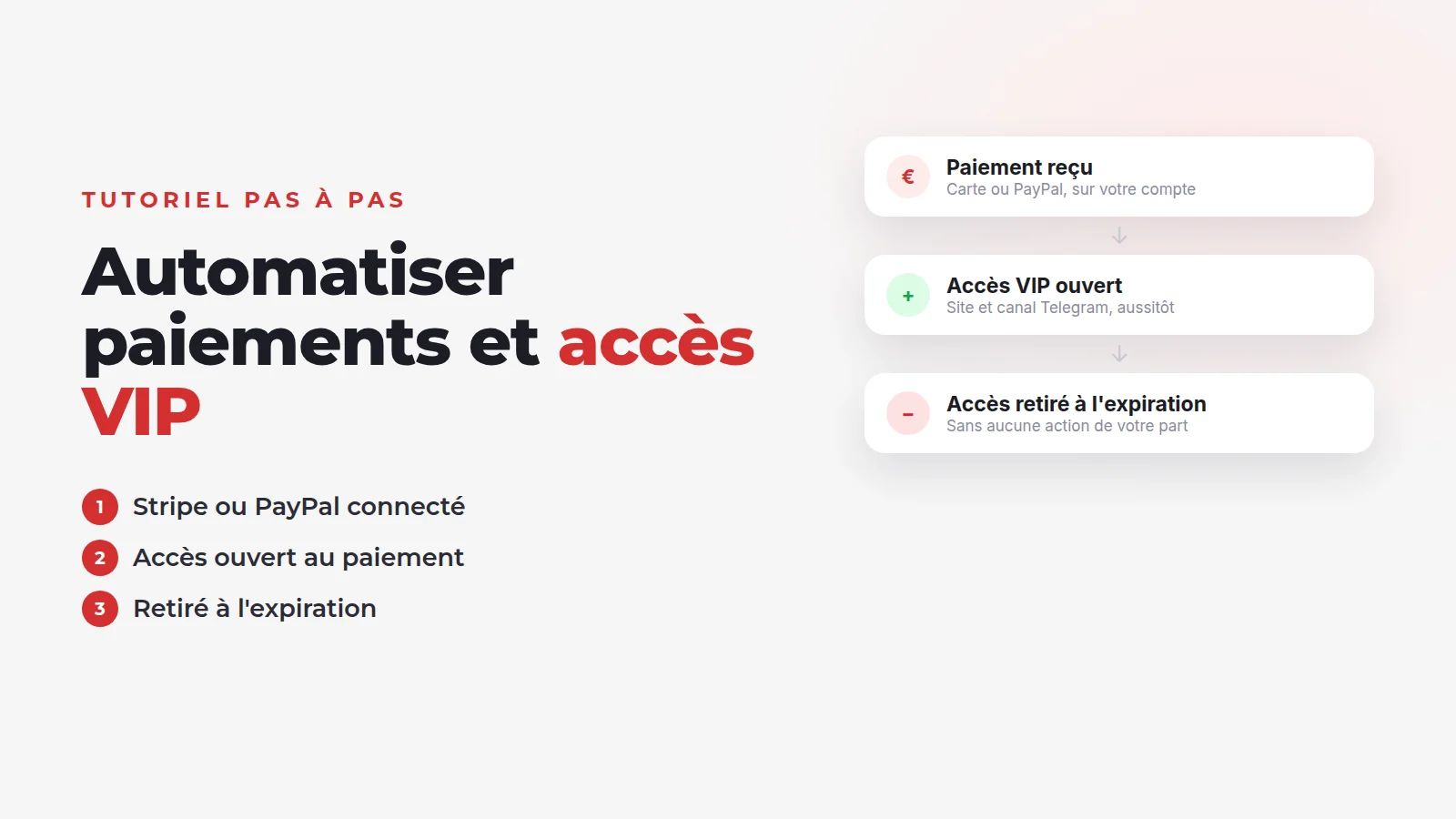
With five members, it is manageable. With fifty, admin takes over from your analysis. Automation comes down to one rule: payment confirmed, access open; subscription ended, access removed. If you are still choosing your subscription model or your price, read our guide on how to sell betting tips first.
Before you start: what you need
- A betting tips website with a VIP area. Here, a Typsa website: it is created in 4 steps (your site, your account, payment, live), from €19.90 a month.
- A payment account in your name: Stripe (created during step 1 if you don't have one) or a PayPal Business account.
- A defined offer: what VIP access includes, its price and its length.
- Your Telegram channel or group, if you want to post your VIP tips there (Starter plan or higher).
On your site's dashboard, the « Finalisez votre site » (Finish setting up your site) checklist includes these steps: « Créez votre première offre VIP » (Create your first VIP offer), then « Configurez le paiement de vos membres » (Set up your members' payments).
Step 1: choose and connect Stripe or PayPal
In your site settings, open « Paiement des membres » (Member payments). This is where you choose how your members pay. Only one method is active at a time:
| Method | How it works | Renewal | Good to know |
|---|---|---|---|
| Stripe (recommended) | Card payment | Automatic, every period | The account is set up in a few minutes with the « Créer mon compte Stripe » (Create my Stripe account) button |
| PayPal | One-off payment via PayPal | No: the member pays again on expiry | Requires a PayPal Business account |
| Manual | Bank transfer or another method, following your instructions | No: you extend the VIP yourself | See step 6 |
With Stripe, click « Créer mon compte Stripe » (Create my Stripe account): Stripe asks for your details (identity, bank account), then sends you back to your site. A « Compte Stripe connecté » (Stripe account connected) box confirms you can receive payments. The service fees applied to card payments are shown on the same page.
Whichever you choose, your members' money goes straight into your Stripe or PayPal account, then to your bank account. It doesn't go through your private messages, and every payment is recorded.
Our advice
Step 2: create your VIP offer
Open « Abonnements VIP » (VIP subscriptions), then create a new subscription. The form has four fields:
- « Nom » (Name): what the member sees, for example "Monthly VIP";
- « Type »: daily, monthly or annual;
- « Durée » (Length): the number of days, months or years ("3" on monthly for a quarterly offer);
- « Prix » (Price).
Then add the benefits included, one line per benefit: VIP tips, analysis, access to the Telegram VIP channel, bankroll tracking. If you add none, a default list is shown. A precise offer avoids questions in private messages and misunderstandings after purchase.
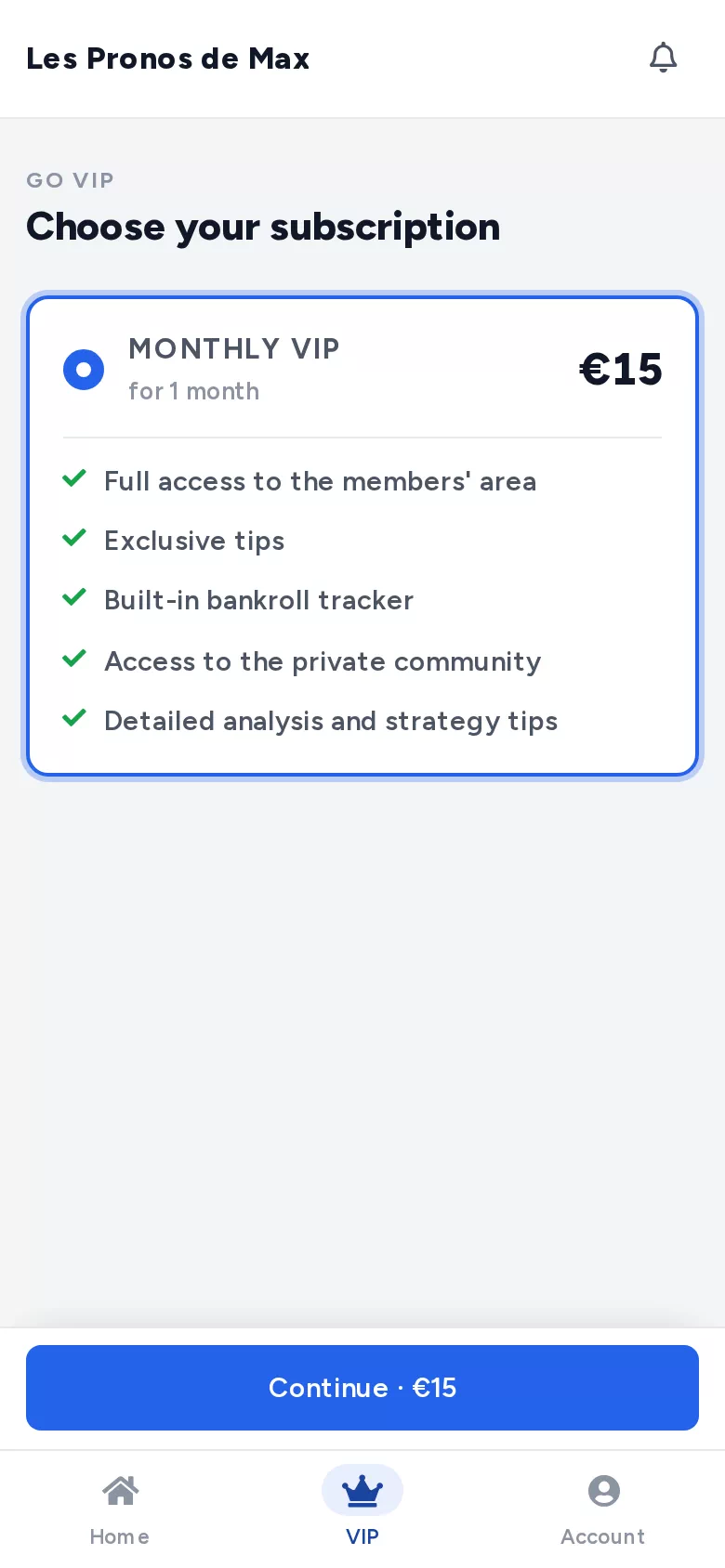
You can create several offers: one month to try, three months or a year for loyal members, a day pass for a big match.
Step 3: access opens on payment
This is the heart of the automation. The visitor creates an account, chooses your offer, pays, and their VIP access opens straight away. You have nothing to approve, whether they buy in the middle of the night or during a match.
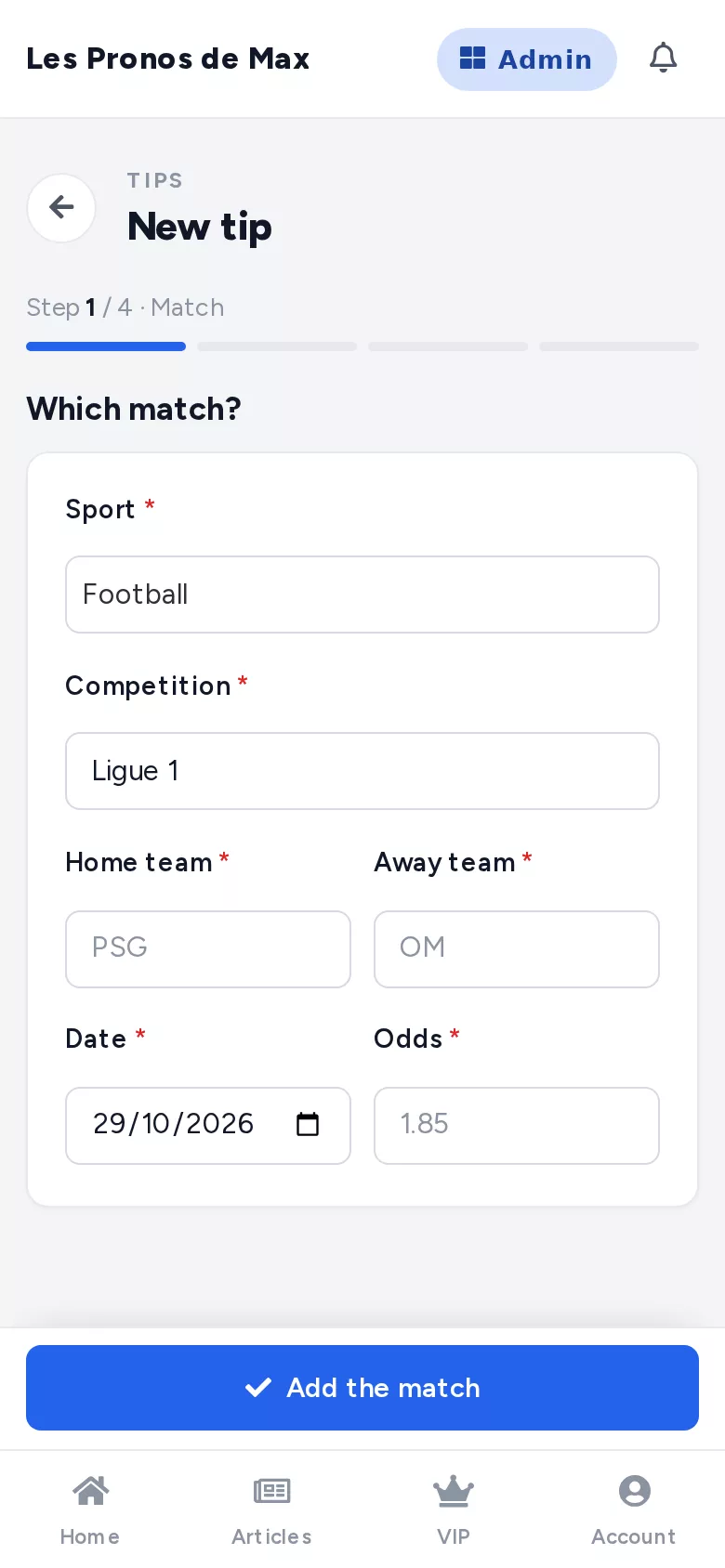
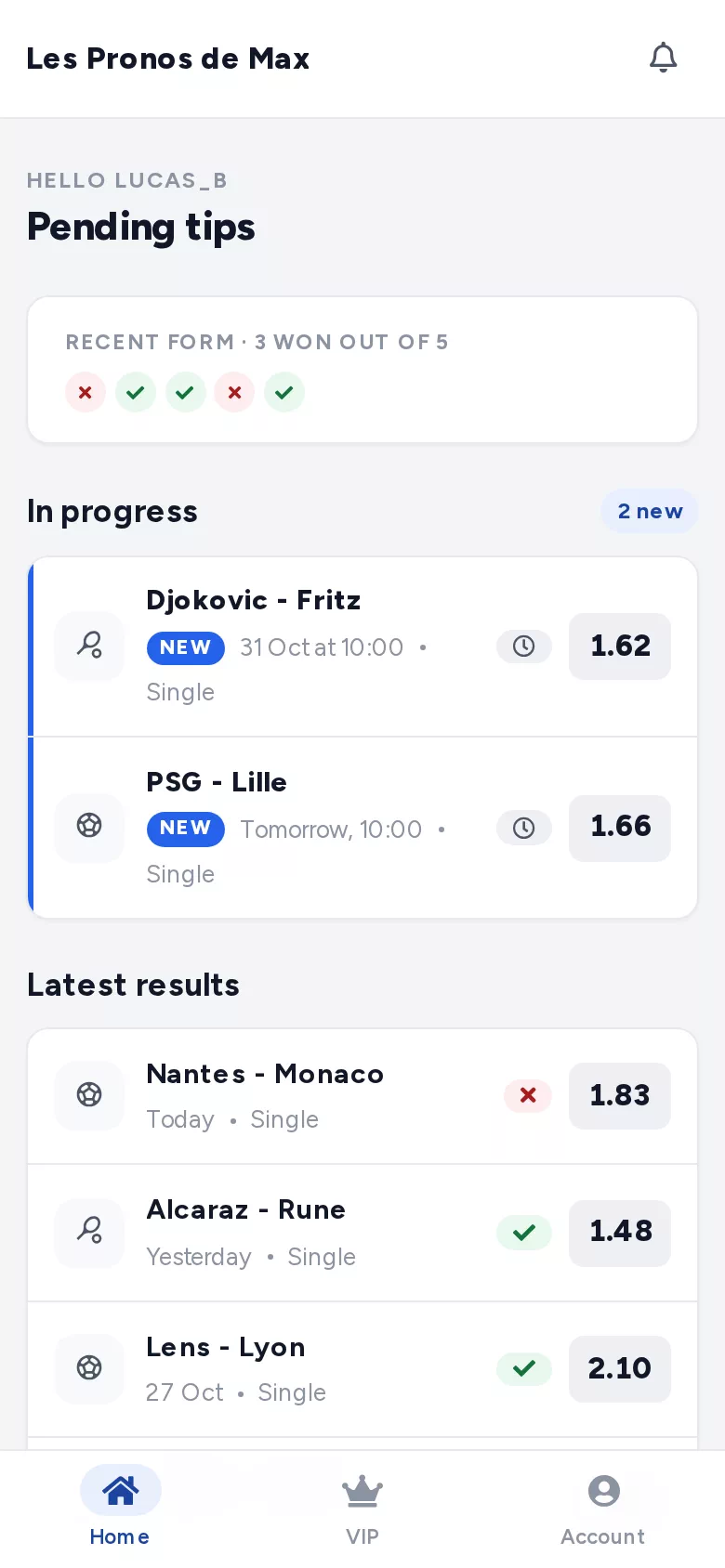
On your side, you post your tips as usual, choosing for each one whether it is free or VIP only. Paid-up members see them in their area; the others see that a VIP tip is waiting for them.
Step 4: access is removed on expiry
Automation works the other way too. Every VIP member has an end date, visible in your member list. When it passes without a renewal, VIP access is removed automatically.
- With Stripe, the subscription renews on its own: the end date moves forward with every payment. The member can cancel from their profile: they are no longer charged.
- With PayPal, access lasts for the period bought. To continue, the member pays again.
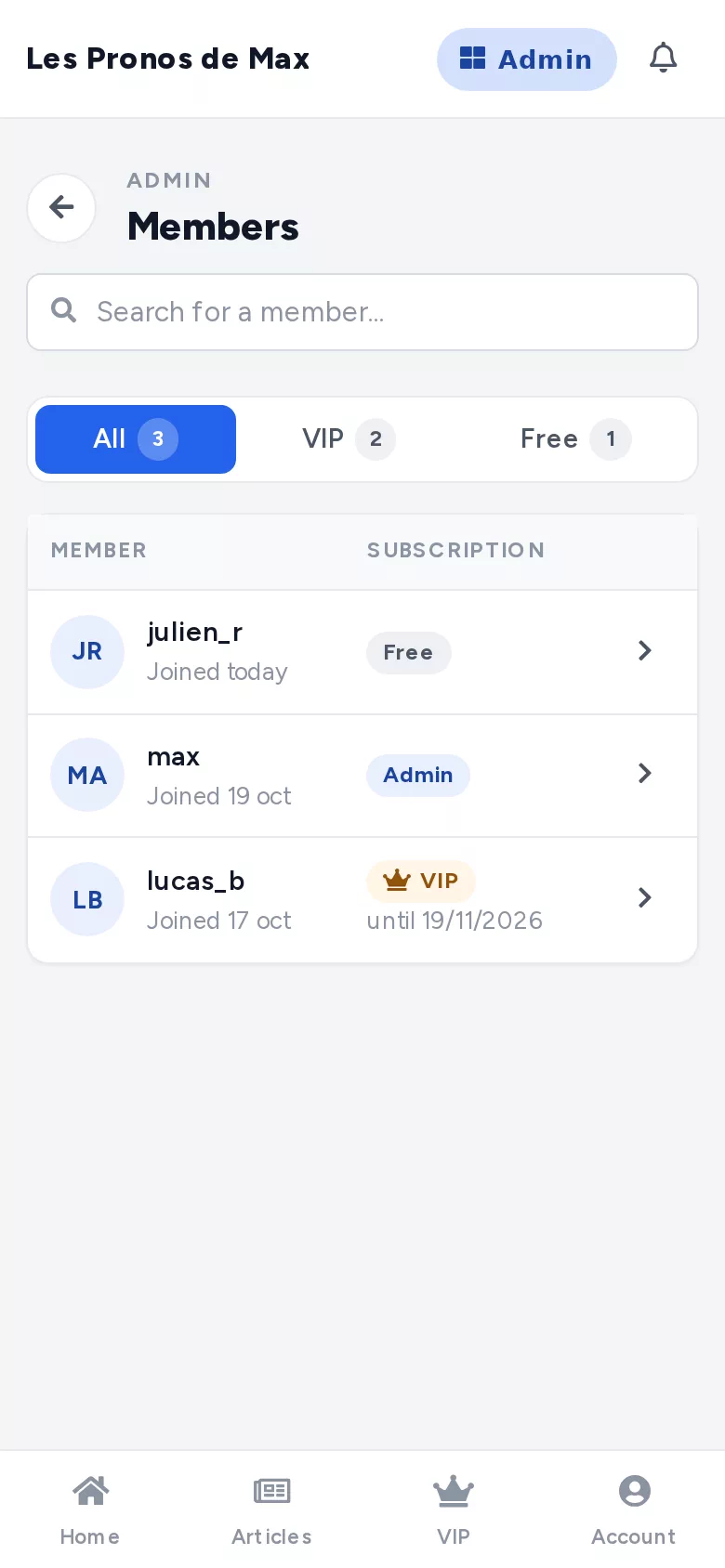
No more due-date spreadsheet or awkward reminders: those who pay keep their access, the others lose it, without you having to justify yourself.
Step 5: connect your Telegram VIP channel
Many tipsters post their VIP tips on Telegram. From the Starter plan, your website manages who is allowed in.
-
1
Add a Telegram
In the dashboard, open Telegram, then « Nouveau Telegram » (New Telegram). Give it a name and choose whether it is a channel or a group.
-
2
Add the Typsa bot as an administrator
The bot's name is shown on screen, ready to copy. Add it as an administrator of your channel or group, with all permissions.
-
3
Check the connection
Post the code shown by the site in the channel, then click « J'ai publié le code » (I've posted the code). The Telegram switches to « Connecté » (Connected).
-
4
Turn on tip announcements
Tick the option so that a message is posted in the channel every time you publish a new tip on the site.
From then on, everything runs on its own: your VIP members join the channel from your website, and those whose subscription has ended are removed automatically. An invite link shared outside the site is no longer enough to stay in the channel without paying. To go further, read our guide on how to make money with a Telegram betting tips channel.
Tip
Step 6: handle manual payments
Some members pay by bank transfer or in cash, or you have a special arrangement. Manual payment keeps these cases in the same system:
-
1
Choose « Paiement manuel » (Manual payment)
In « Paiement des membres » (Member payments), write your instructions: how to pay, who to pay, which reference to use. Your members see them when they subscribe.
-
2
Receive the payment
You check it as usual, on your account.
-
3
Extend the VIP from the member's profile
Open the member's profile and click « +1 mois » (+1 month), « +3 mois » (+3 months) or « +1 an » (+1 year), then save. The new end date starts from the current expiry date, or from today if it has passed. The « Retirer le VIP » (Remove VIP) button is for cutting off access.
The payment stays manual, but what follows no longer is: on the end date, access is removed automatically, Telegram included. The same buttons also work with Stripe or PayPal, to give a loyal member a free month or sort out a special case.
Good to know
Step 7: test the journey
Before announcing your offer, put yourself in a member's shoes. Create a member account with another email address, on your phone, and check that:
- the offers page is clear, with the price and length properly shown;
- the payment goes through;
- the VIP area is available right after, with your VIP tips;
- the member appears as VIP in your member list, with the right end date;
- they can join your Telegram VIP channel, if you have connected it.
With Stripe, then cancel this test subscription from the member's profile. Once the test is done, announce your offer to your community.
Create your betting tips website
Automated payments and VIP access, live in 5 minutes. No commitment.
Mistakes to avoid when you automate VIP access
Keeping members outside the system
If they are added to the channel by hand without existing on the site, they will never be removed. Sign everyone up on the site, and extend their VIP from their profile if needed.
Leaving an old invite link in circulation
A Telegram link shared before automation can still be used. Revoke it in Telegram.
Posting VIP tips in the wrong place
A VIP tip posted in a public channel cancels out the point of subscribing. Keep free and VIP clearly apart.
Not telling your current members
Explain how things will work before you switch: where to subscribe, how to pay, where to find the tips.
Other pitfalls, like an unclear price or promised profits, are covered in the mistakes that lose you members. And to see the whole system, discover the paid betting tips website with Typsa.